
Line-up & schedule
Your line-up and schedule, always up to date in the app
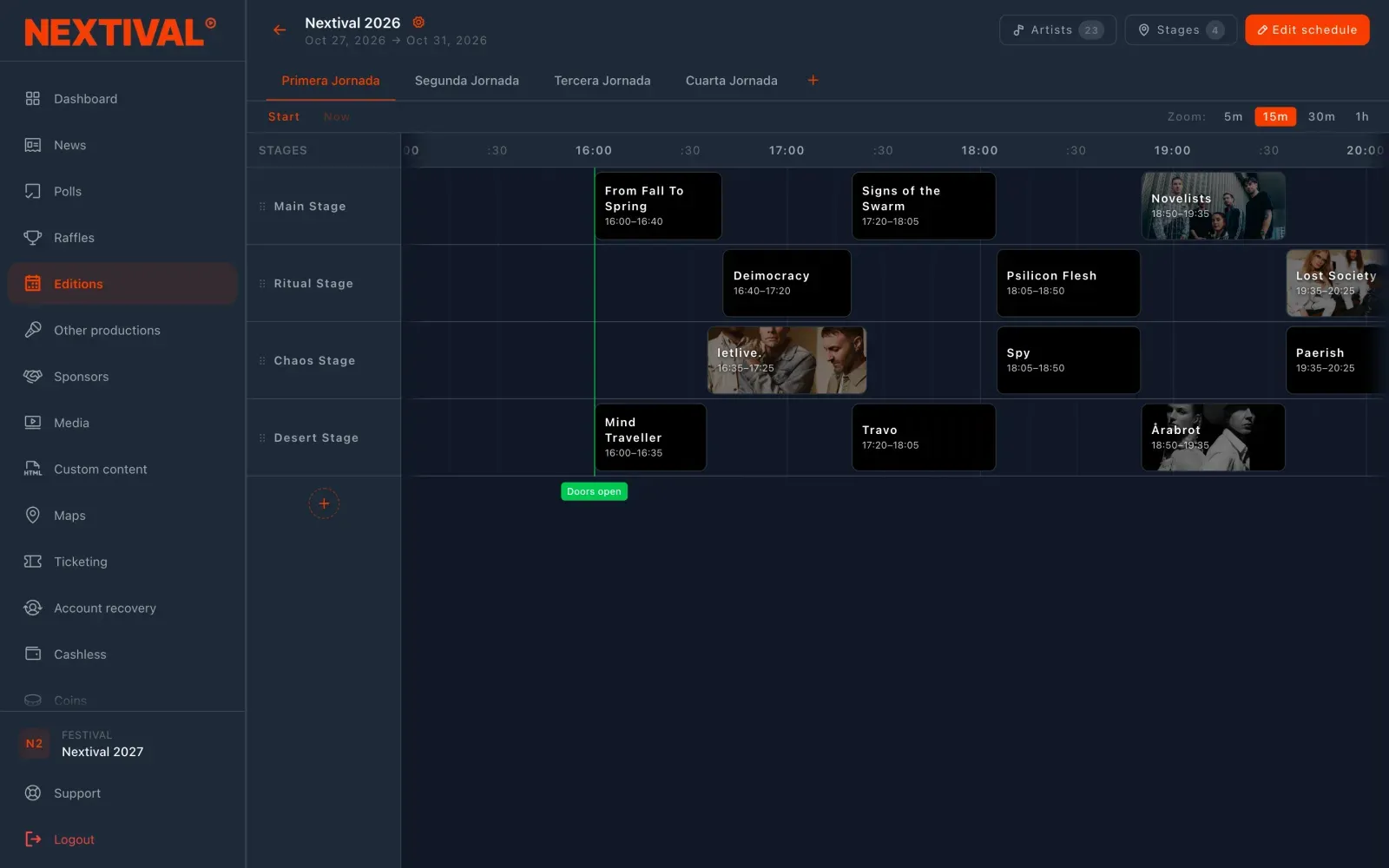
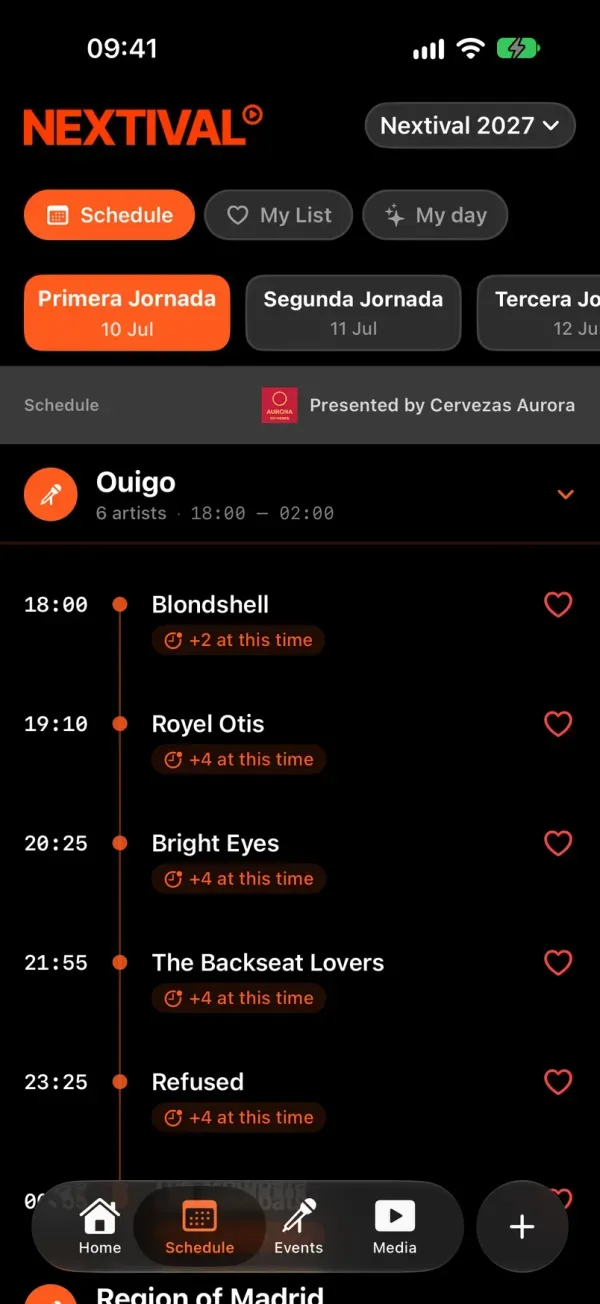
You set up festival days, stages and gigs in the CMS. Your audience sees them in your festival’s app, saves their gigs and builds their plan for the day.
A schedule in an image is out of date as soon as a time changes
The last-minute change.
A delay means redoing the image, uploading it again and hoping someone sees it.
The clashes.
Two gigs at the same time and your audience deciding from a screenshot of the poster.
The small hours.
Saturday’s 2 am set shows up as if it were on Sunday and nobody can find it.
How does it work?
Fill the line-up.
Search for each artist by name: they come with a photo and country from MusicBrainz or from your own catalogue. If they’re not there, add them by hand.
Get started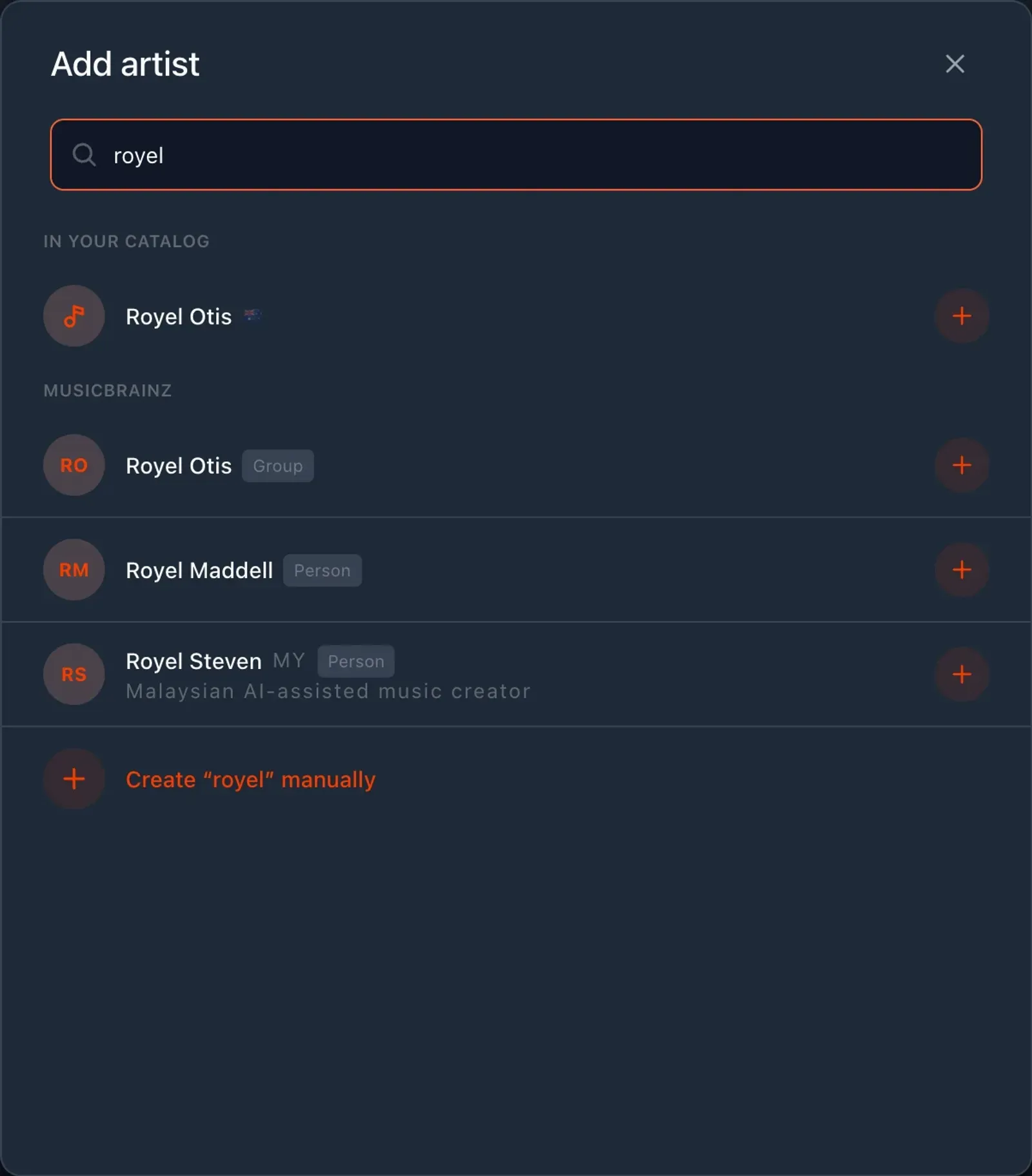
Schedule the gigs.
Each one on its stage and at its time, on a drag-and-drop grid. There’s no publish button: the app shows what you save.
I want to try it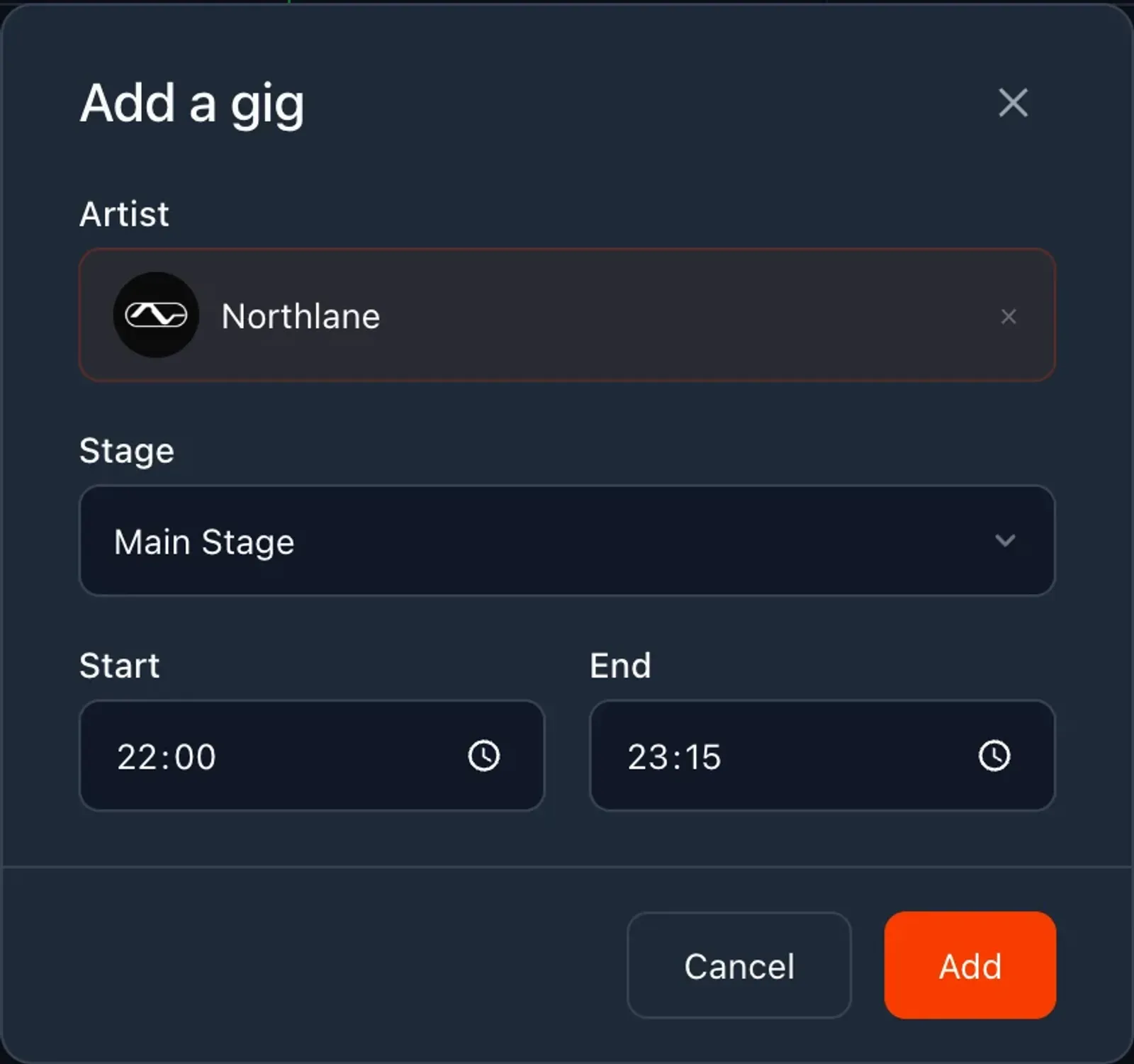
Your audience plans their day.
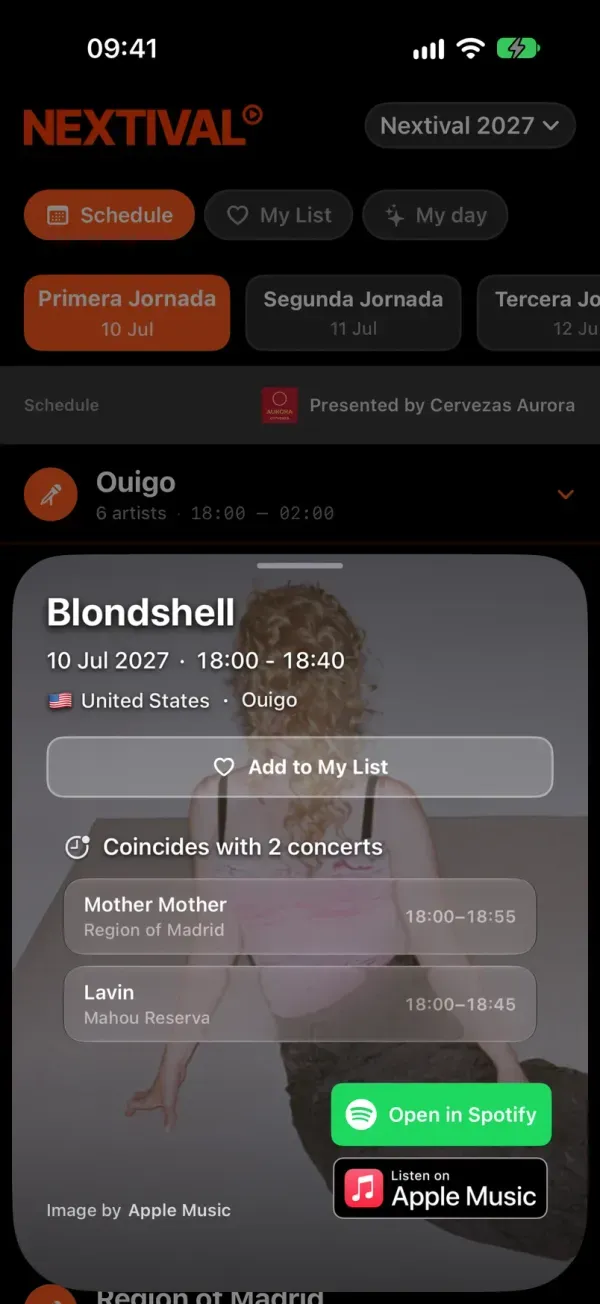
They save gigs to My List and, if two clash, My day asks them to pick one or split the time between both.
Get started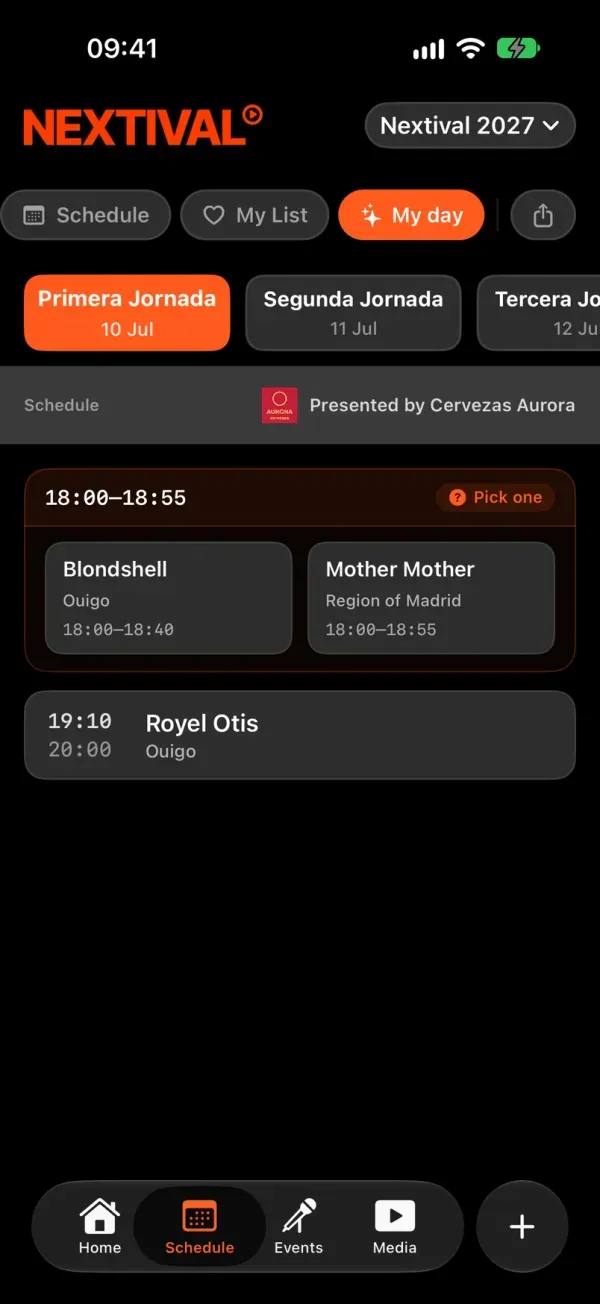
When a gig starts, the app shows it live on Home and, with the phone locked, on the iPhone lock screen or in an ongoing notification on Android.
Capabilities
Days, stages and gigs
Stages belong to the festival and carry over to every edition. Gigs are moved and extended by dragging.
Artists with photos and links
From MusicBrainz or added by hand. If the artist has them, their Spotify and Apple Music links appear on the gig card.
Day cut-off and time zone
The small hours still count as the night before, and times are the site’s, not those of the phone looking at them.
My List and My day
Favourites, clash warnings and a plan for the day that can be shared as an image.
Now playing
The gigs under way, on Home and with the phone locked, with nothing to set up beyond the schedule.
Works offline
The downloaded schedule is still there with no signal, and anything marked offline syncs later.
Frequently asked questions
No. There are no drafts and no publish button: the app shows what is saved and updates when it opens or when you pull down to refresh.
It doesn’t send reminders or add gigs to the calendar. What does appear on its own is the live gig as soon as it starts.
Yes. They stay in your festival’s catalogue and you add them to the new edition.
The confirmed artists, with a search box and a heart to save them. So you can announce the line-up weeks before the times are set.
Make sure the schedule your audience checks is always the right one
Managed from the CMS, live in your white-label app
Every Nextival module is set up in the same dashboard and shows up in the same app. Nextival switches on the ones your festival needs.
- Festival CMSThe web dashboard where your team prepares the festival.
- White-label appYour festival’s own app on iOS and Android, under your name.
More modules